Tools
replaces Pocket
Readeck
A clean, ad-free read-it-later app. Save an article and Readeck keeps a permanent, offline copy of it, so you can still read it even if the original page disappears or goes behind a paywall later.
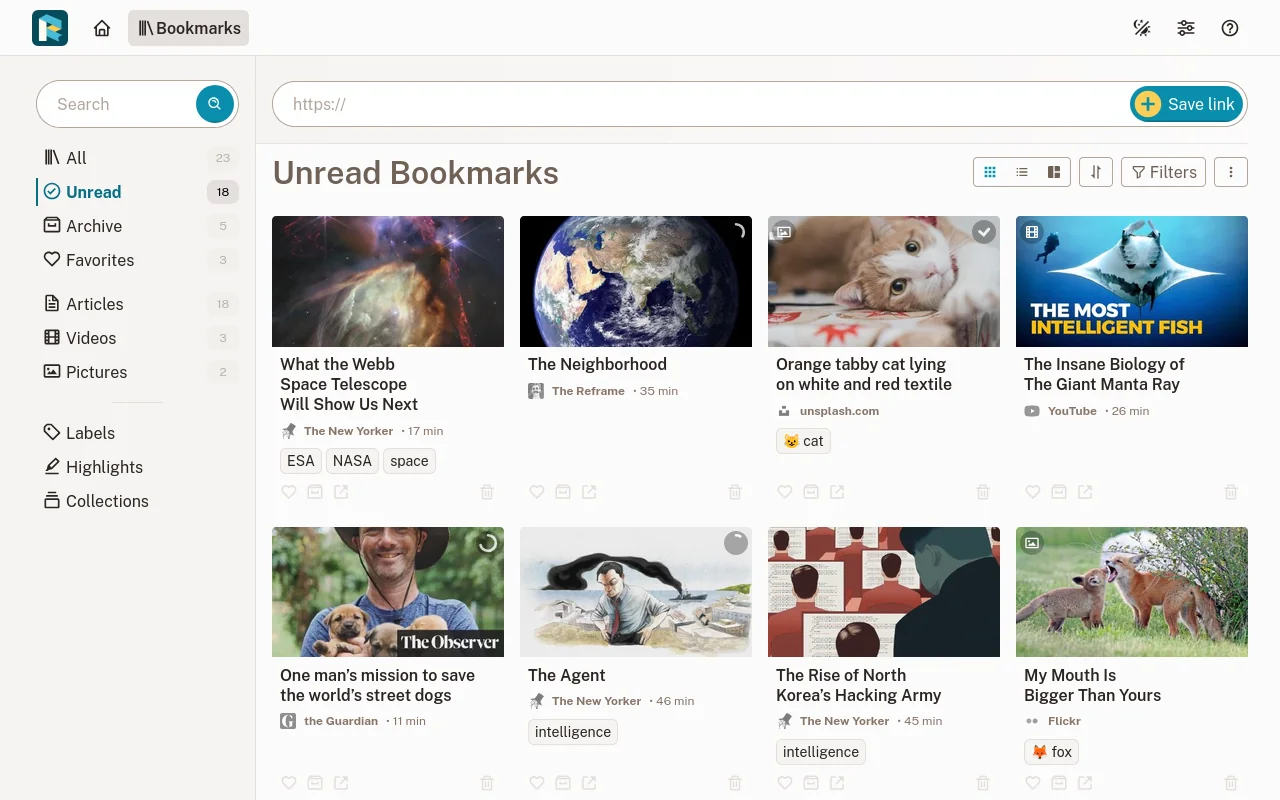
This assumes you've already done the base setup: a server, SSH access, a firewall, and Docker installed. Readeck is one of the simplest tools in this series, a good second project once you've done one already.
Write the compose file
Readeck stores everything in a built-in database by default, no separate database container required for a basic setup. It joins the shared web network instead of publishing its own port; the domains and HTTPS deep dive covers why every tool guide on this site does this.
volumes:
  readeck-data:

services:
  app:
    image: codeberg.org/readeck/readeck:latest
    container_name: readeck
    environment:
      READECK_LOG_LEVEL: info
      READECK_SERVER_HOST: "0.0.0.0"
      READECK_SERVER_PORT: 8000
      READECK_LOG_FORMAT: text
    volumes:
      - readeck-data:/readeck
    restart: unless-stopped
    security_opt:
      - no-new-privileges:true
    healthcheck:
      test: ["CMD", "/bin/readeck", "healthcheck", "-config", "config.toml"]
      interval: 30s
      timeout: 2s
      retries: 3
    networks:
      - default
      - web

networks:
  web:
    external: true
There's no secret or session key to generate by hand here, unlike every other tool in this series. Readeck creates and stores its own automatically inside the data volume the first time it runs. Start it with docker compose up -d.
Wire it into the shared reverse proxy
This site uses one Caddy instance for the whole server, not one per app, and every tool guide points back to the same setup rather than each showing its own. If you haven't set it up yet, the domains and HTTPS deep dive is the canonical walkthrough, including the exact port and Caddyfile block for every tool on this site. Once it's running, connect Readeck with one block in the shared Caddyfile:
read.yourdomain.com {
    reverse_proxy app:8000
}
Then reload it: docker compose restart caddy in the proxy's folder.
Create your account
Visit your domain. The first time it loads, it walks you through creating a user, a username and password; email is optional and can be skipped. There's no separate admin role at this stage: the account you create has full rights.
Install the browser extension
This is Readeck's main way of saving articles, and it also fixes the biggest limitation of server-side saving: some sites (paywalled articles, JS-heavy pages) don't extract cleanly when Readeck's server fetches them on its own. The extension sends the page exactly as your browser already rendered it, working around that. It's available for Firefox and Chrome from Readeck's own site.
Install a mobile app (optional)
Worth knowing before you go looking: these are community-built apps, not first-party ones from the Readeck project itself. They connect the same way as everything else here, server URL plus login, but expect a more independent release cadence than the official web app and extension.
Before you rely on this
- Back up the
readeck-datavolume. Every saved article is stored inside it as its own self-contained archive, alongside the database, so this one folder is your whole library. - If your reading habit grows into something heavier, Readeck also supports running on Postgres instead of its built-in database, listed as the "production" option in its own docs. Worth knowing it exists; not something you need on day one.
More tools
Ready for the next one?
Every guide here assumes you've already completed the base setup: server, firewall, and Docker.